Quick specifications
| App version (Android) | 1.1.3, build 15 (spincity-zw-universal-v1.1.3+15.apk) |
| File size (Android) | Not published; the download page states no size |
| Supported OS | Android — universal APK covering all common CPU architectures; minimum version not published. iOS — no native app, home-screen web app only |
| Interface language | English; phone and chat support also in Shona and Ndebele |
| Installation bonus | Entry offer: 10 free spins on a first deposit of $1+, plus 20 extra spins at $20 |
| Last update | August 2026 |
SpinCity offers players in Zimbabwe a free mobile app that runs the same account, balance and game catalogue as the desktop site. On Android it is distributed as an APK hosted on the operator’s own content delivery network — it is not on Google Play, so installation requires enabling installs from unknown sources. On iOS there is no App Store listing; iPhone and iPad users add a web app shortcut to the home screen instead. The current Android build, resolved from the download button on the official site, is version 1.1.3 (build 15), supplied as a universal APK. SpinCity states in its footer that it holds Lotteries and Gaming Board of Zimbabwe licence number 9547860.
How to download SpinCity on Android (APK)
Google Play’s Real-Money Gambling policy permits gambling apps only in an approved list of countries, with separate approval required per territory. Zimbabwe is not among the supported territories, so a Zimbabwean-facing casino cannot list there regardless of its local licence. Direct APK distribution is the standard workaround and is not in itself a sign of an unlicensed product — but it removes Google’s security screening, so the source of the file matters.
Step-by-step installation
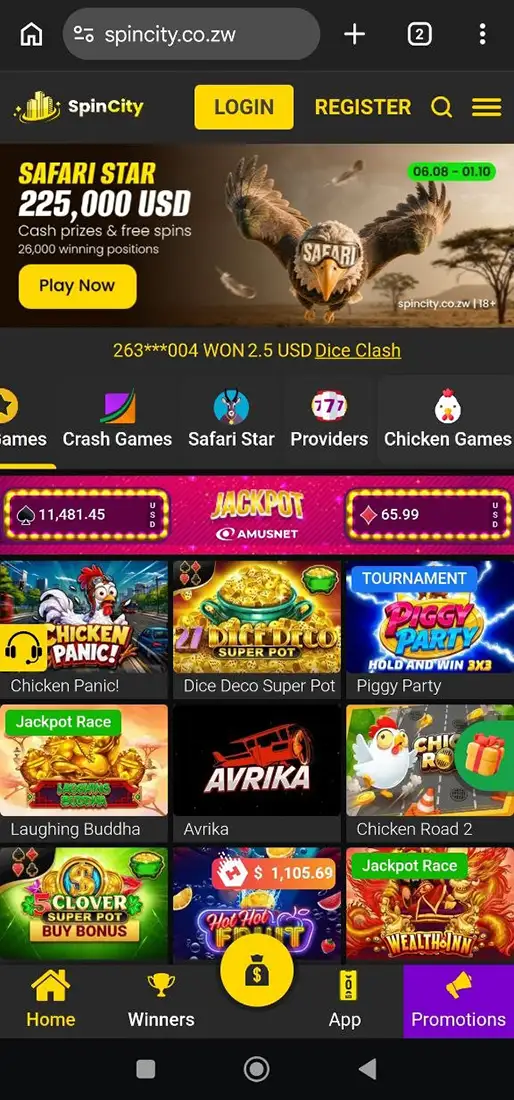
STEP 2
Find the app section. The download sits under Promotions → Download App (spincity.co.zw/promotions/download-app). Tap “Get mobile app”.
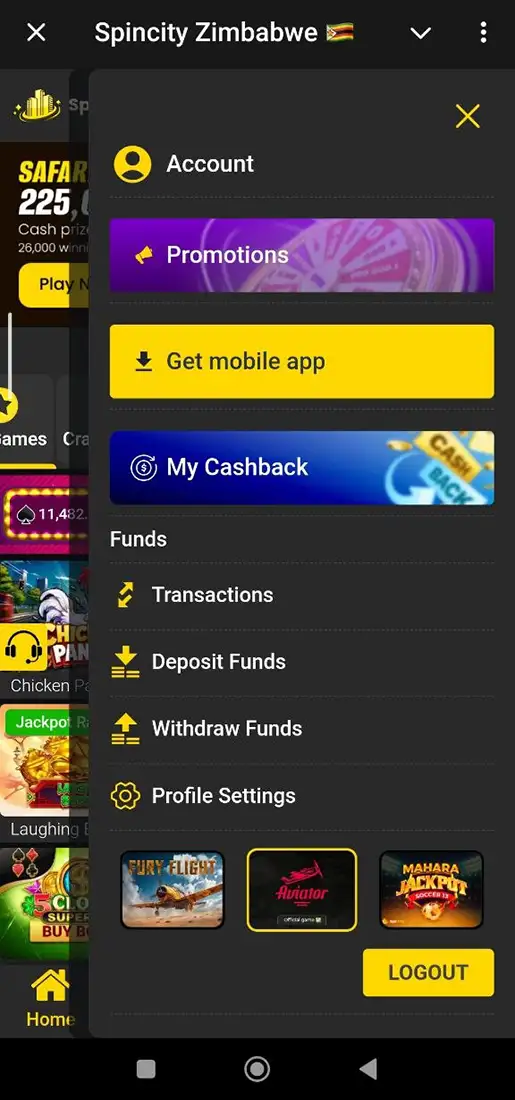
STEP 3
Confirm the download when prompted.
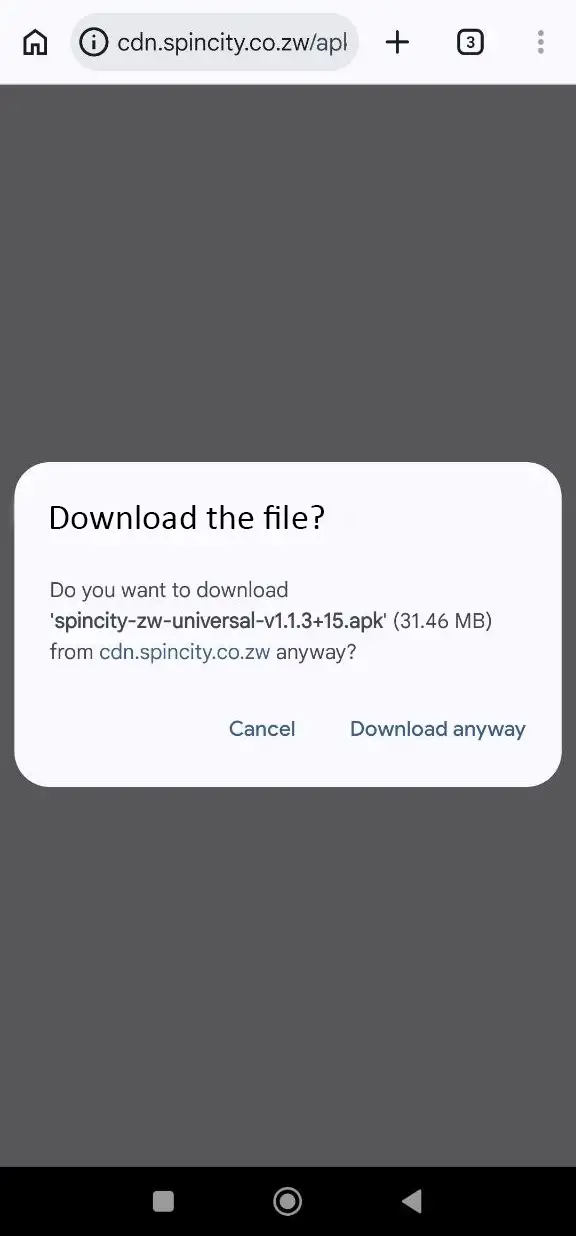
STEP 4
Open the downloaded file from the notification shade or Downloads and tap Install. Wait for installation — usually it will be completed under a minute, then open the app.
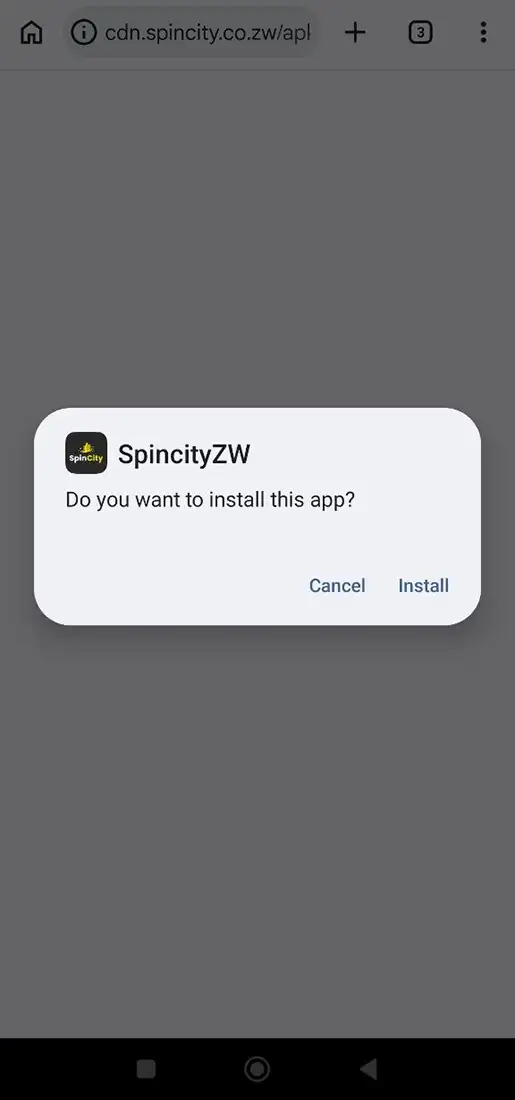
STEP 5
Log in or register. Registration takes a mobile number, password, personal details and an email address, confirmed by SMS code.
⚠️ Warning. Download only from spincity.co.zw or the cdn.spincity.co.zw address it redirects to. Searches for “SpinCity APK” return many unrelated files on aggregator and “MOD APK” sites — several belong to entirely different apps that share the name, and modified builds are a common vector for credential theft.
How to download SpinCity on iOS (iPhone / iPad)
No SpinCity app for Zimbabwe was found in the App Store, and the official download page does not link to one. Apple requires real-money gaming apps to be submitted by the licensed operator and geo-restricted to licensed territories, which limits how many regional casinos publish there.
The supported route is a home-screen web app:
- Open
spincity.co.zwin Safari. - Tap the Share icon.
- Scroll down and select Add to Home Screen.
- Rename the shortcut if you wish, then tap Add.
- The icon appears alongside native apps and opens the site full-screen.
This is not a native application — no separate binary, no local game data, and it depends on a live connection exactly as the browser does — but it exposes the same account and the same games.
Interface and features
Main screen
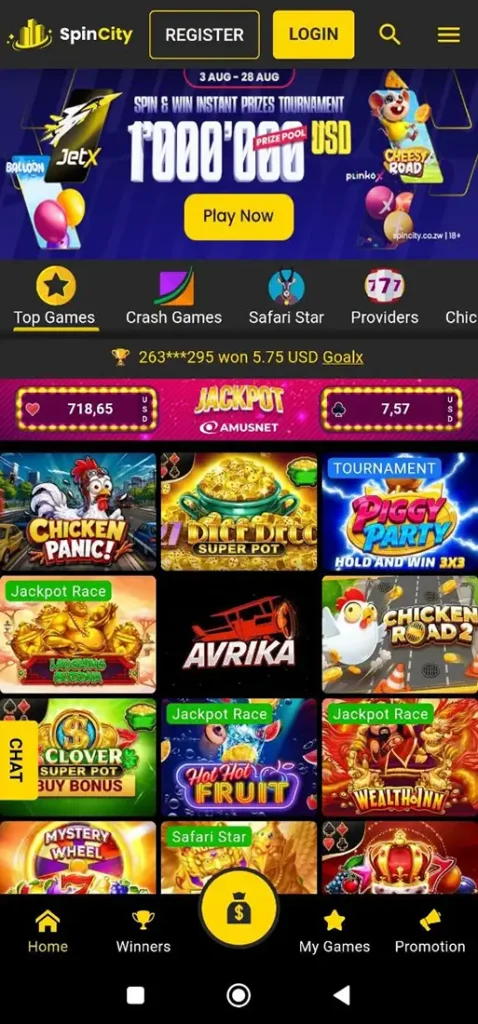
The lobby is built around a search field, a category strip and a rotating promo banner. Tabs mirror the desktop site — Slots, Crash, Live Casino, Virtual Sports, Lotto, Instant, Jackpot Games, Drops & Wins — with balance, deposit button and account menu fixed in the header. Any game is one or two taps away.
Casino
SpinCity advertises over 10,000 games across slots, live dealer tables, crash games, roulette, Plinko, scratch cards, lotto and instant-win titles. Named providers include Pragmatic Play, Amusnet, EGT Jackpot, Habanero, Betsoft, Endorphina, Evoplay and TaDa Gaming. Crash games are unusually prominent — Aviator, Aviatrix, HeliXani and Bazooka each carry dedicated promotions.
Deposits and withdrawals
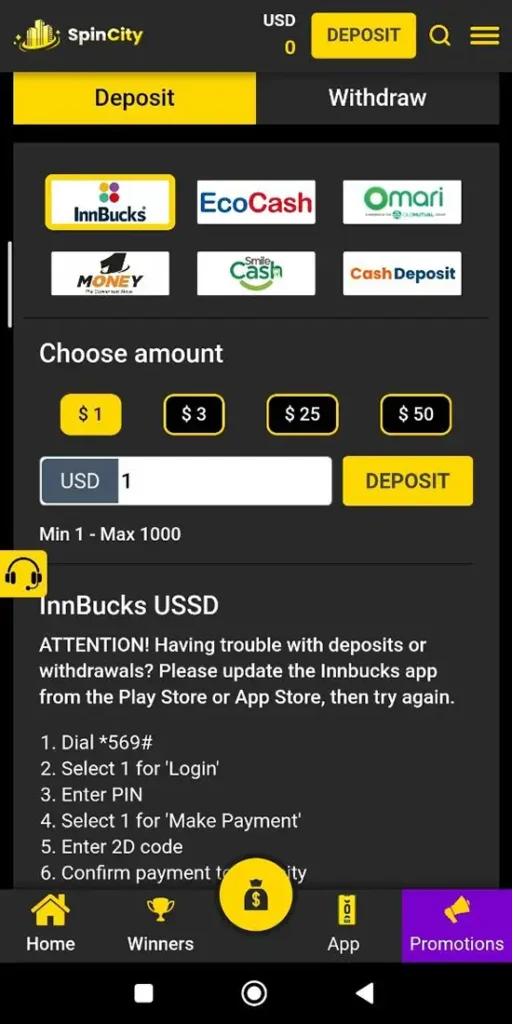
Accounts are denominated in US dollars. Reported methods: EcoCash, InnBucks, O’Mari, 1Money, PayNow and Visa/Mastercard. Limits are not documented on the official site, and third-party figures disagree: one review gives a $20 minimum deposit while the operator’s own promotion qualifies deposits from $1; the same review reports a maximum of $14,500 per transaction on most methods, a $20 minimum withdrawal and a $1,000 daily withdrawal ceiling. Deposits are described as instant and fee-free; withdrawals as instant to 24 hours on EcoCash and InnBucks, and 1–3 business days on cards. Treat all of these as indicative and confirm the current numbers in the cashier.
Bonuses
Offers attach to the account, so app and web users see the same list.
System requirements
| Android | iOS |
|---|---|
Minimum OS version not published. The filename convention (v1.1.3+15) matches Flutter’s versioning scheme, and current Flutter releases set Android 5.0 (API 21) as their floor — a reasonable assumption, not a confirmed spec. | No native app, so no requirement beyond a Safari version supporting Add to Home Screen (iOS 9+). |
| RAM not published; 2 GB is a practical floor for smooth live-dealer streaming. | Any iPhone or iPad running a current Safari build. |
| Free storage not published. A universal APK bundling all architectures is typically larger than a Play Store split build — allow a few hundred MB of headroom. | Negligible; the shortcut stores no game data. |
Pros and Cons
Pros
- +Free app
- + Very fast and easy-to-use app
- + Local payment rails: EcoCash, InnBucks, O’Mari, 1Money
- + Low entry point — $1 activates the welcome offer
- + 24/7 support by live chat, phone (+263 867 701 045, +263 786 144 177), WhatsApp and email, reportedly in English, Shona and Ndebele
- + Has notifications and updates
Cons
- – No sportsbook — virtual sports only
- – No iOS app; a home-screen shortcut is not a substitute for a native build
- – No Google Play listing: no store-level vetting, no automatic updates, no public version history
App vs mobile website
| App (Android APK) | Mobile site | |
|---|---|---|
| Installation | Manual APK, unknown-sources permission | None |
| Storage used | Occupies device storage | Effectively none |
| Updates | Manual re-download | Automatic |
| Access | One tap from the home screen | Browser or bookmark |
| Games, payments, bonuses | Same | Same |
| iOS availability | Not available | Available, plus home-screen shortcut |
Daily players save a few seconds per session and keep access after clearing the browser cache; occasional players get the same product from the mobile site with automatic updates and nothing to install. Neither side has exclusive content.
Won’t install or won’t run — what to do
- “App not installed.” Usually a leftover older build. Uninstall the existing app, then install the new APK.
- “Installation blocked.” The unknown-sources permission was not granted to the browser that downloaded the file — grant it to that specific app.
- Download stops partway. A truncated APK will not parse. Delete the partial file and retry on a stable connection.
- “Problem parsing the package.” Corrupted download, or an Android version below the minimum. Re-download first; if it fails again, use the mobile site.
- App opens but games do not load. Clear the cache (Settings → Apps → SpinCity → Storage → Clear cache) and check connection stability — live dealer streams are bandwidth-sensitive.
- Cannot log in. Confirm the mobile number format and use password recovery; if the account is restricted, only support can explain why.
- Withdrawal not received. Check that verification is complete — incomplete KYC is the most common cause of held payouts.
FAQ
Q Is the SpinCity app free?
Yes. There is no charge to download or install the app; playing for real money requires a deposit.
Q Is SpinCity on Google Play?
No. The Android app is distributed as an APK from spincity.co.zw. Google Play’s Real-Money Gambling policy does not cover Zimbabwe, so a Zimbabwean-facing casino app cannot be listed there.
Q Is there an iOS app?
No App Store listing was found, and the official download page does not link to one. iPhone and iPad users open spincity.co.zw in Safari and use Share → Add to Home Screen instead.
Q What Android version is required?
The operator does not publish a minimum. The build’s filename convention matches Flutter’s versioning scheme, and current Flutter releases set Android 5.0 (API 21) as their floor — a reasonable working assumption rather than a confirmed specification.
Q How large is the APK?
Not published. The download page states no file size, and the file is served directly from the operator’s CDN. Allow a few hundred megabytes of free storage, since a universal APK bundles all CPU architectures in one package.
Q Is there a bonus for installing the app?
No install-specific bonus is advertised. The entry offer is 10 free spins on a first deposit of $1 or more, with 20 extra spins at $20 — the same terms as on the desktop site.
Q Which payment methods work in the app?
EcoCash, InnBucks, O’Mari, 1Money, PayNow and Visa/Mastercard, with accounts denominated in US dollars.